
AI chats and extra packs
How Rachel's monthly chats are counted, and how to add more.
In Salescom: Settings > Billing > Usage
Each plan includes a number of AI chats a month: chats where Rachel answers your customers. Starter has 500, Growth 1,500, Business 5,000 and Scale 10,000. If you have several workspaces, they share these chats, and packs you add count for all of them.
What counts as a chat
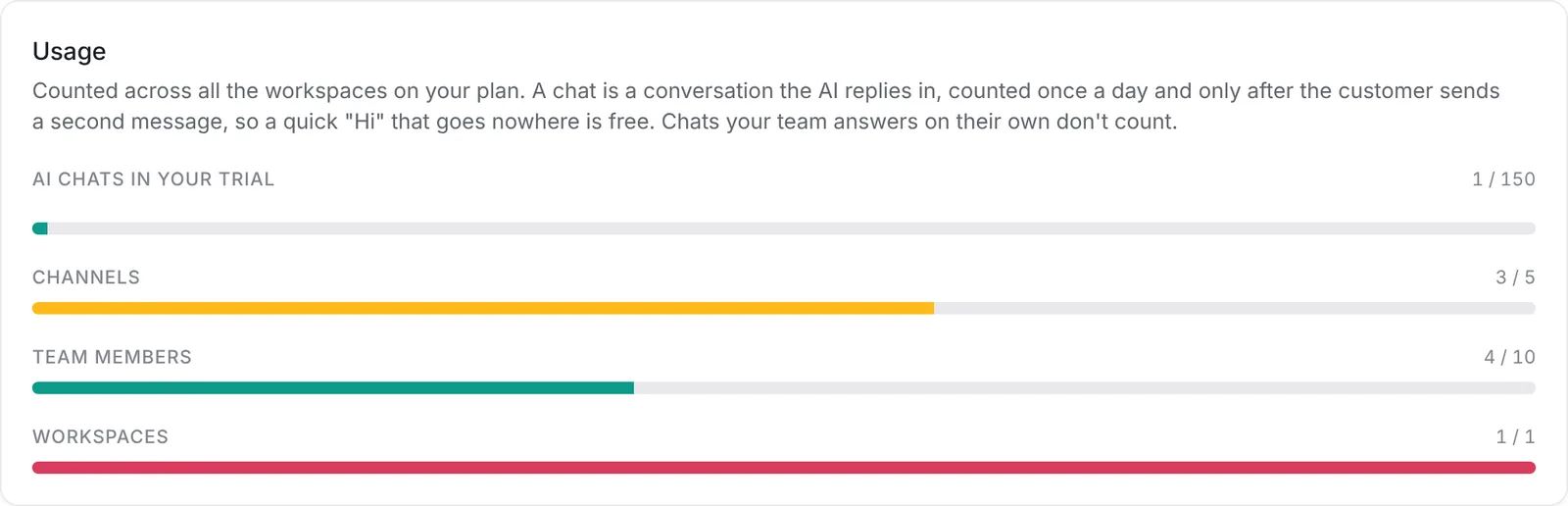
A chat is a conversation Rachel replies in, counted once a day. It only counts once the customer sends a second message that day, so someone who says "Hi" or taps an ad and then goes quiet doesn't use a chat. Chats your team answers on their own never count.
Reading an uploaded FAQ also uses 1 chat for each file or paste Rachel reads.
Go to Settings > Billing to see how much you've used. When you've used 80% of your chats, a banner at the top of Salescom lets you know.
If you run low, press Add 500 chats under Usage. We charge $20 to the card on your plan straight away. Each month your plan's own chats are used first, and extra chats only once those run out, so unused extra chats carry over. A pack lasts a year from the day you buy it. Packs aren't refunded.
Auto top-up
To keep the AI answering without checking every few days, turn on Auto top-up under Usage. When about 25 chats are left, we add 500 chats for $20 to the card on your plan. Choose the most packs to buy each month, for example 5 packs (up to $100). The page shows how many were bought this month. Once the limit is reached, no more packs are bought that month. Auto top-up packs work like packs you buy yourself: they last a year and aren't refunded.
Running out
If you use up all your chats, including extra chats, the AI stops replying until your allowance resets, you add chats or you upgrade. Customers aren't left waiting: their chats go to your team like any other chat.
Packs are for paid plans. During the free trial, choose a plan to keep the AI replying.