
Answer the standard FAQs
Five questions Rachel must always get exactly right. Answer them once and Rachel handles them.
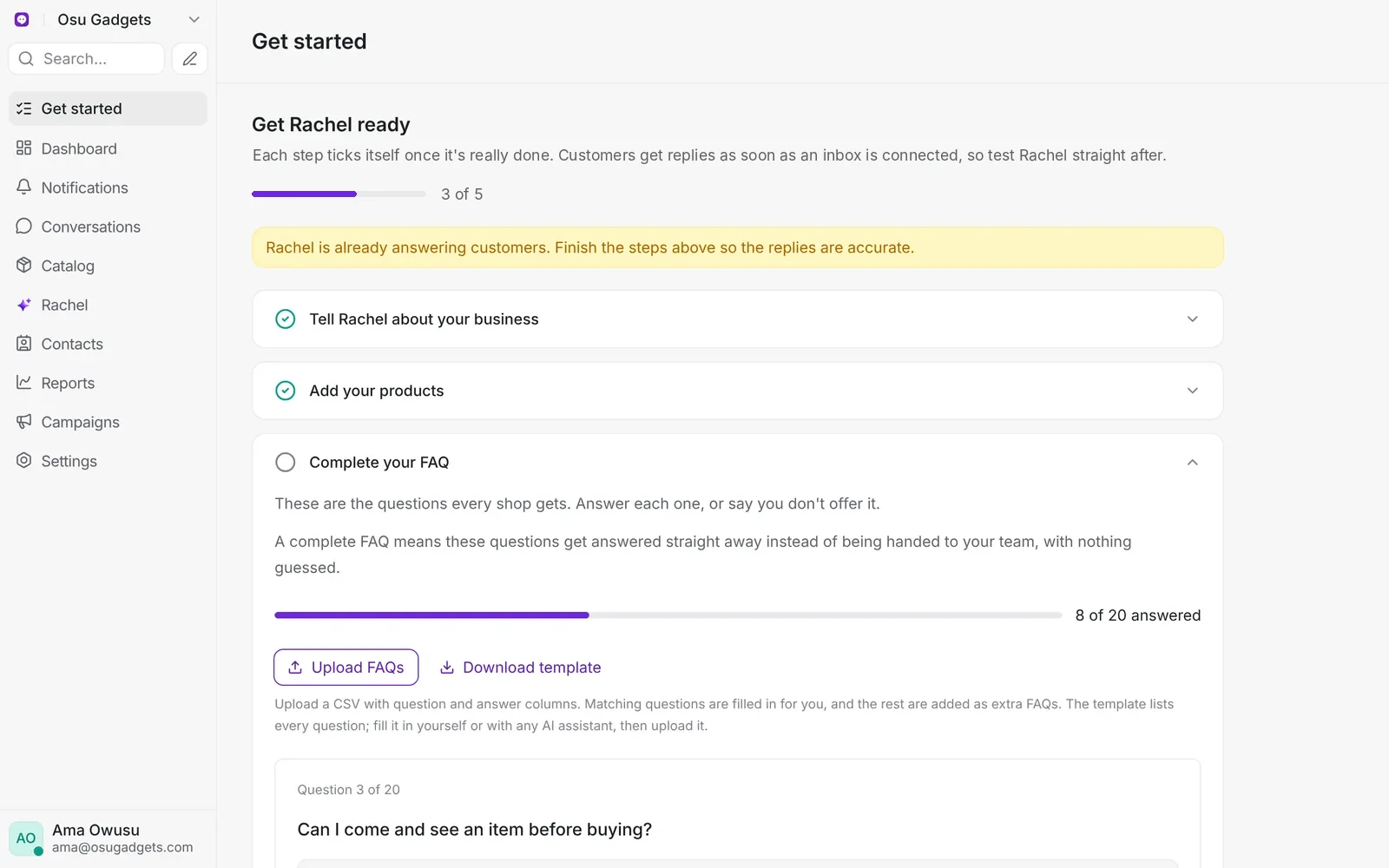
In Salescom: Get started > Complete your FAQ, or the assistant's FAQs tab
Some questions must always be answered exactly right, because a wrong answer costs a sale or a refund. Salescom asks you for just five:
| Topic | Questions |
|---|---|
| Delivery | Where you deliver (and how long it takes), and how much delivery costs |
| Paying | How customers can pay, including whether they can pay on delivery |
| After the sale | Your warranty, and your return policy (including faulty items) |
Your shop location and opening hours go in the business profile instead, on the assistant's Profile tab. What you sell comes from your Catalog and profile.
You don't need an FAQ for everything else:
- Product questions like colours, models, eSIM or SIM, storage or specs: Rachel answers from your Catalog. Put those details in each product's name and description.
- Anything Rachel doesn't know, like trade-ins or bulk discounts: Rachel hands the chat to your team, then suggests your team's reply as a new answer. See How Rachel gets better.
- Open Get started and open the Complete your FAQ step. The same questions are also at the top of your assistant's FAQs tab.
- Answer each question in a sentence or two.
- If you don't offer something, press We don't offer this. Rachel will then say so instead of guessing.
Your answers also appear in the list on the FAQs tab, where you can edit them later.
Unanswered questions are one of the most common reasons Rachel hands chats to your team. See Why Rachel hands over too often.